
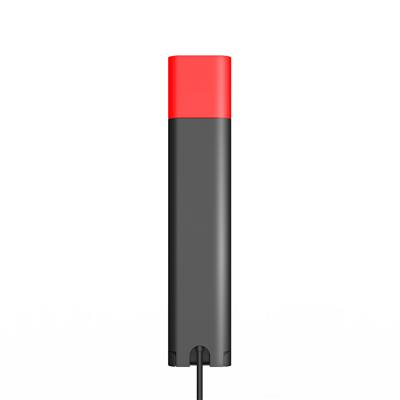
Yealink BLT60 busylight indicator
BLT60
 Call our sales team
Yealink BLT60 busylight for the WH series headset bases — A corded status light that plugs into the busylight port on a WH series headset base and shows the people around you by colour whether you are available, away or on a call.
Order code 1300077
Type busylight
For Yealink WH62, WH63, WH64, WH66, WH67, WH68
Compatibility
Device or range | Status |
|---|---|
Yealink WH66 | compatible |
Yealink WH67 | compatible |
Yealink WH64, WHB640 base with a busylight port | compatible |
Yealink WH68, WHB680 base with a busylight port | compatible |
Yealink WH62 and WH63 | compatible |
Yealink WH63 E2 and the portable WH series variants | we will confirm with your order |
The WH62 and WH63 do not carry a presence state, so the light works from the call state. On the WH66 and WH67 the state can also be set by hand.
What it is for
The busylight plugs into a port at the back left of the base, right next to the power connector. The two ports look alike, and you can tell you have the right one because the light comes on. The 1.8 m cord lets you put the light on the corner of the desk or on the monitor where colleagues can see it.
Colour carries the state: green means available, orange away, and red do not disturb or a call in progress. Flashing red is an incoming call, and slowly flashing green marks a missed call or a voice message. A presence state needs support in the softphone, while the call state shows regardless.
⚑ atlantis note
Do not mix up the port on the base
The busylight port sits next to the power connector and the two look alike. If the light comes on after you plug it in, you have the right port.
Order it against the headset
The busylight connects to the base, not to the headset. Portable sets that use the WDD60 dongle have no base to plug it into.
Order against the device's order code
Parts are not interchangeable between ranges even where they look alike. Send us the device's order code and we will find the right part.
Specifications
Type | busylight |
|---|---|
Intended for | Yealink WH62, WH63, WH64, WH66, WH67, WH68 |
Connection | busylight port on the headset base |
Cable length | 1.8 m |
Colours | green, orange, red |
Light guide shape | star, heart, square |
Order code | 1300077 |
What's in the box
In the box
BLT60
quick start guide
Warranty
The warranty follows the manufacturer's terms for this accessory. We are happy to confirm the exact term for a specific order.
Frequently asked questions
Where does the busylight plug in?
Into the busylight port at the back left of the headset base. It sits next to the power connector, and you can tell you have the right one because the light comes on.
What does flashing red mean?
An incoming call is ringing. Steady red means a call is in progress or do not disturb is on.
Does it show presence with every softphone?
A presence state needs support on the softphone side. The call state shows regardless.
- Manufacturer
- Yealink
- Weight
- 0.05 kg
No attachments available.
Not sure what to choose?
We're happy to help you choose!
Every business day from 8:00 to 17:00